Courses · Video course
AI in Excel for Analysts: specify, test and audit formulas written with an assistant
An AI assistant writes a formula in ten seconds. This course teaches the other half of the job: the brief that makes the formula right, the mini sample that proves it, the checks that tie the model, and the audit of a spreadsheet someone sends you. You build a checked portfolio summary from a raw rent roll along the way.
$149, or included in All Access
26 short video lessons (about 60 minutes of video), 11 of them built live in Excel, the Case Workbook of a 20-unit rent roll, a start file and a solution file for every build lesson, an Exercise Workbook that checks your answers, a 48-question quiz app, a Course Summary, a Brief and Prompt Kit, and the certificate exam online. Download right after payment.
Secure checkout by Stripe. 14-day money-back guarantee. Not sure yet? Watch module 1 and a build lesson free, read the summary of module 1 and try ten questions below.
A wrong formula rarely returns nonsense. It returns a number of the right size, slightly off. In the summary a colleague sends you in module 5, 7 figures out of 20 are wrong, from five causes: a criterion too many, a unit left out, a wrong base, a wrong weight, an average of averages. Each looked plausible. Each fails a test on four rows.
What you will be able to do
- Brief an assistant in five parts so that the formula comes back right the first time.
- Write and read SUMIFS, COUNTIFS and SUMPRODUCT with criteria in cells, guards and weights.
- Build lookups with INDEX and MATCH, an expiry profile with an open-ended bucket, and clean text into numbers.
- Test any formula on a mini sample with a known answer, and keep the tests in the workbook.
- Tie a model with checks by two routes and a master check.
- Audit a spreadsheet you did not build: compare, flag, count, and report root causes.
- Get formulas without exposing confidential data, and know when not to ask.
The program
Six modules. Concept lessons explain on animated slides; build lessons fill the workbook on screen, cell by cell, with the formula shown, while you build the same cells in the start file.
- 1. A working methodWhat an assistant does well in Excel, the five-part brief, the case, and the first formulas written from a brief. Lessons: 1.1 What an assistant is good at in Excel. 1.2 The brief: five things a formula needs. 1.3 The case: a rent roll export. 1.4 First formulas from a brief: SUMIFS (build).
- 2. Formulas from a specificationCriteria and conditions, ratios with their guards, weighted averages, references that survive a copy, and versions and locales. Lessons: 2.1 Criteria: say exactly what counts. 2.2 Vacancy and rent per square metre (build). 2.3 Weighted averages with SUMPRODUCT (build). 2.4 References that survive a copy. 2.5 Versions and locales.
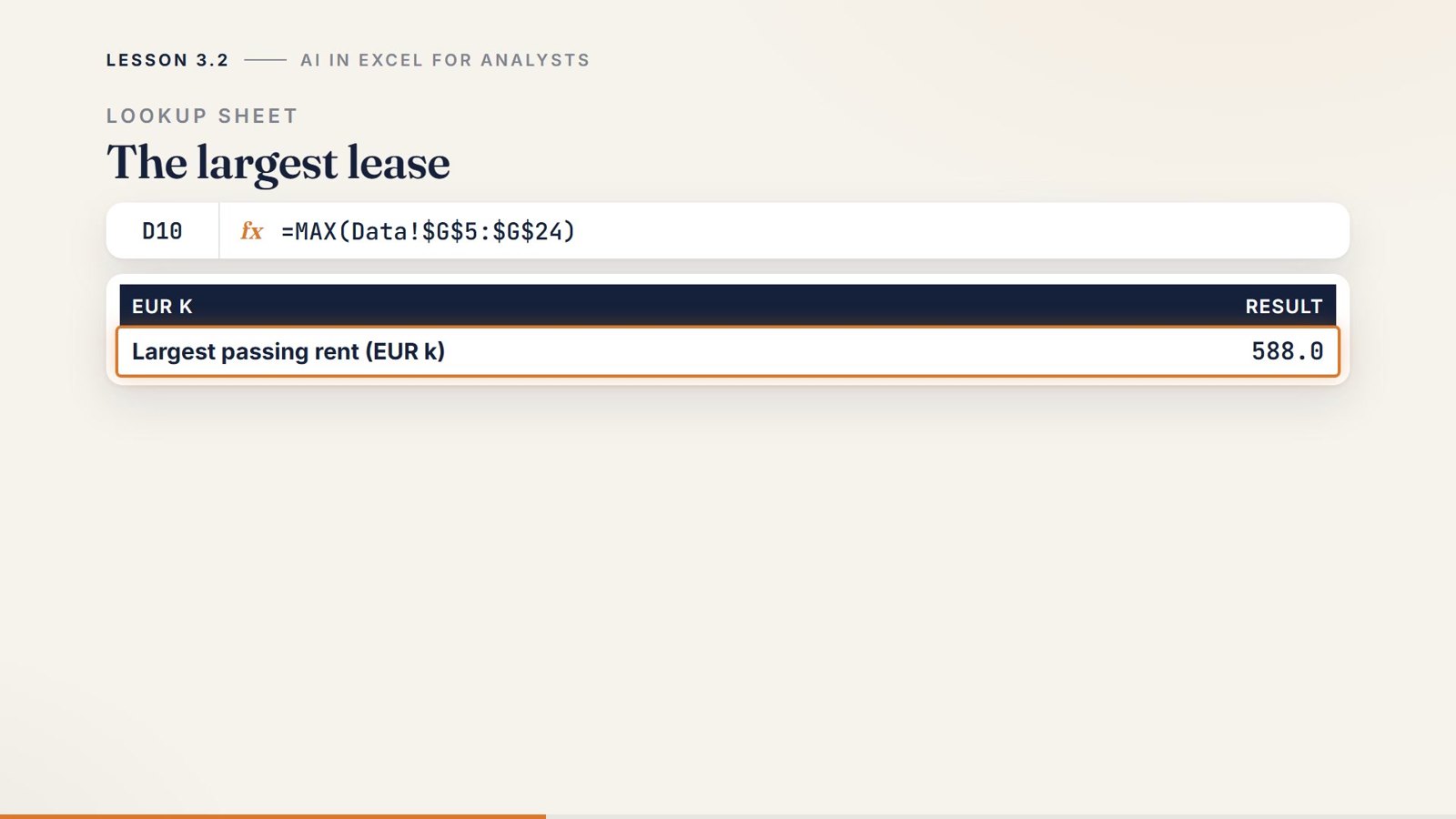
- 3. Lookups, time and messy dataExact-match lookups and missing keys, an expiry profile by year, and text that should be numbers. Lessons: 3.1 Lookups: exact match and missing keys. 3.2 INDEX and MATCH on the rent roll (build). 3.3 An expiry profile by year (build). 3.4 Text that should be numbers (build).
- 4. Test before you trustThe mini sample with a known answer, a tests sheet, edge cases, checks that tie, and asking for an explanation. Lessons: 4.1 The mini sample with a known answer. 4.2 A tests sheet (build). 4.3 Edge cases: blanks, zeros, duplicates. 4.4 Checks that tie (build). 4.5 Ask for an explanation.
- 5. Audit a model with AIHow to ask for an audit, comparing a received summary with your own, flagging and counting errors, and the five classic errors. Lessons: 5.1 How to ask for an audit. 5.2 Compare a received summary with yours (build). 5.3 Flag and count the errors (build). 5.4 Five classic spreadsheet errors.
- 6. Working safelyConfidentiality, the final check before sending, when not to use an assistant, and a personal workflow. Lessons: 6.1 Confidentiality: headers and dummy rows. 6.2 The final check before you send (build). 6.3 When not to use an assistant. 6.4 A personal workflow.
Try it free
All of module 1 and one build lesson. The four lessons of module 1, and lesson 2.3, where a weighted average is written with SUMPRODUCT.
The summary of module 1. Download the free sample of the Course Summary (PDF).
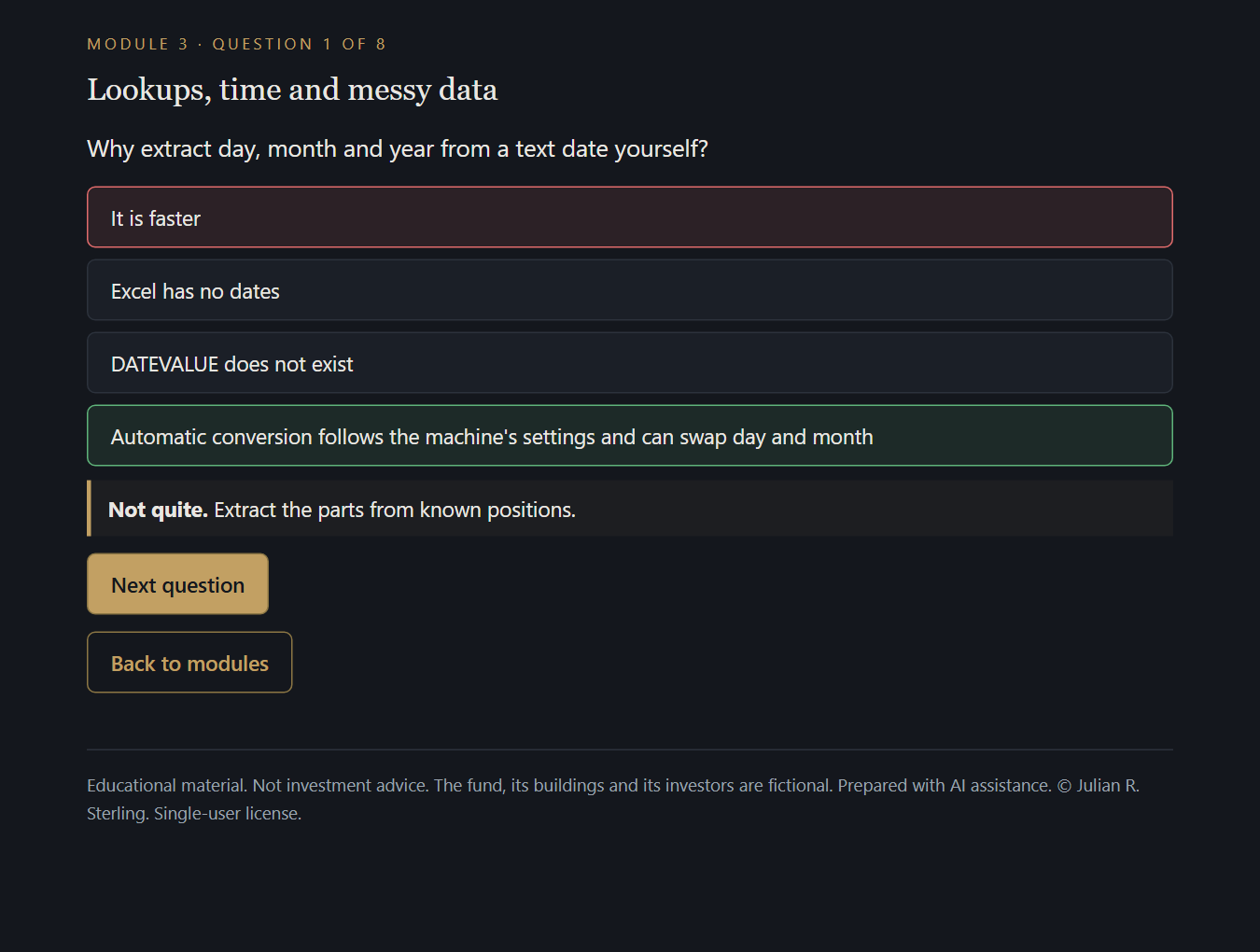
Ten quiz questions. Click an answer: it turns green or red and the explanation appears. The questions use the running case:
The Brackenridge portfolio (fictional): 20 units in four properties, 26,100 sqm and €3.80m of passing rent a year at 31 Dec 2026. Two office buildings, a retail park and a logistics site with one office unit. Four units are vacant; one tenant has three leases.
Module 1
1. What is the natural division of work with an AI assistant in Excel?
Answer: It writes; you specify and verify. It cannot see your sheet and does not test its answer.
Module 1
2. A specification is...
Answer: A description precise enough that two people would write equivalent formulas. Most wrong formulas come from a vague request.
Module 1
3. Which are the five parts of a brief?
Answer: Layout, task, output, edge cases, environment. A brief removes the guesses.
Module 1
4. In the layout, you must say...
Answer: The sheet, the column of each field, the first and last row, and what one row represents. Otherwise the assistant invents ranges.
Module 1
5. Why use D$4 instead of the name of the property typed in quotes?
Answer: One formula serves every column, and a renamed property is changed in one cell. The criterion is a cell.
Module 1
6. Why should you describe the data instead of pasting it?
Answer: The rent roll contains confidential names and rents; the formula only needs the layout. Describe the layout and give invented rows.
Module 2
7. SUMIFS with two criteria includes a row when...
Answer: It passes both criteria. Criteria are combined with and.
Module 3
8. In INDEX and MATCH, what does MATCH return?
Answer: The position of the key in the key column. INDEX then returns the value at that position.
Module 4
9. A mini sample is...
Answer: A few invented rows, computable by hand, that contain the cases the formula must handle. Answers are written before the formula.
Module 5
10. What is the efficient order to audit a received model?
Answer: Rebuild and compare, then read the formulas where figures differ. Differences point to the errors.
Inside the course
What you receive
| File | What it is |
|---|---|
| Videos, one zip per module | 26 lessons in 1080p, about 60 minutes of video, with English subtitles (.srt) and chapters. |
| Case_Workbook.xlsx | The Brackenridge rent roll: data, summary, lookups, expiry profile, data cleaning, tests on a mini sample, checks, and the audit of a received summary. |
| Step_Files | 22 workbooks: a start file and a solution file for each of the 11 build lessons. |
| Exercise_Workbook.xlsx | Six exercise tabs, 36 answers checked automatically, hidden solution tabs. |
| Quiz_App.html | 48 questions, eight per module, with explanations. |
| Course_Summary.pdf | Two pages per module: key ideas, the case in numbers, the mistakes to avoid; glossary and dated sources. |
| Certificate exam | Online from your order page or your account: 40 questions from a private bank, 60 minutes, 80% to pass, verifiable certificate. |
The running case
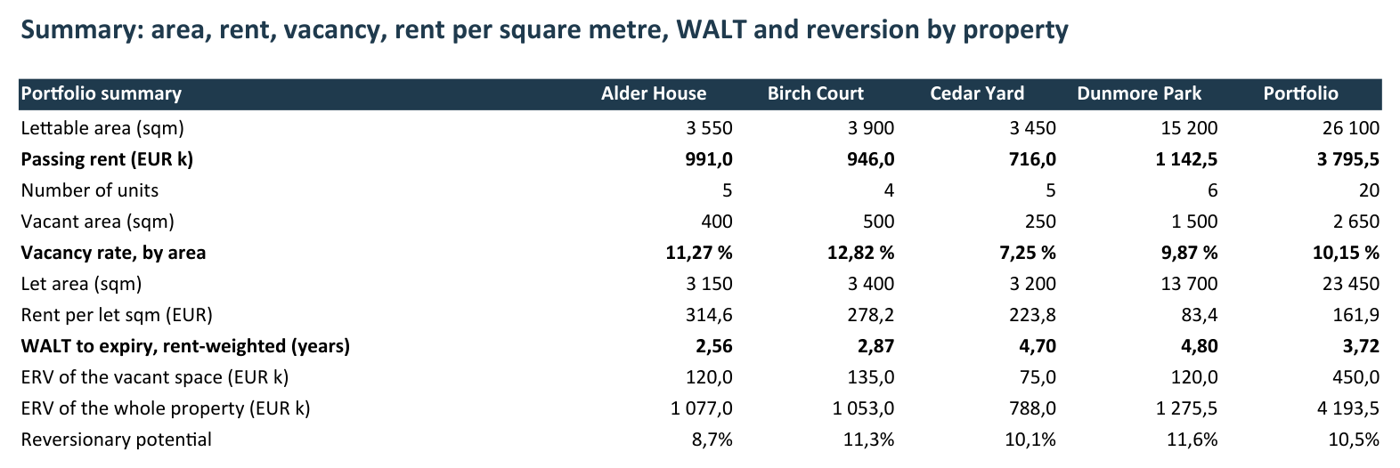
Friday, four o'clock: a rent roll export, and a one-page summary due by six. The figures you build, each a live formula:
| Measure | Alder House | Birch Court | Cedar Yard | Dunmore Park | Portfolio |
|---|---|---|---|---|---|
| Passing rent (EUR k) | 991.0 | 946.0 | 716.0 | 1,142.5 | 3,795.5 |
| Vacancy rate, by area | 11.27% | 12.82% | 7.25% | 9.87% | 10.15% |
| WALT, rent-weighted (years) | 2.56 | 2.87 | 4.70 | 4.80 | 3.72 |
| Reversionary potential | 8.7% | 11.3% | 10.1% | 11.6% | 10.5% |
44.9% of the rent expires within three years, and one tenant accounts for 21.2% of it. Then a colleague's version of the same summary arrives, and 7 of its 20 figures do not match yours.
Part of AI for Finance
This is the second course of the AI for Finance track, after Automate a Fund Reporting with AI, which takes the same ideas from a formula to a whole process. For the models worth building, see Real Estate Modeling and LBO Modeling. See certifications.
Questions people ask
Who is the course for?
Analysts and associates in real estate, private equity, credit and corporate finance, and anyone who builds or reviews spreadsheets and has started to ask an AI assistant for formulas. You need to know what a formula and a cell reference are.
How long is it?
26 video lessons of two to four minutes, about 60 minutes of video, in six modules. With the build lessons, the exercises and the quizzes, most learners need five to seven hours.
Which AI tool does it use?
None in particular. The method works with any assistant, in a chat window or built into the spreadsheet. The course teaches what does not change with the tool: how to brief it, how to test what it writes, how to check a model and how to audit one.
Which version of Excel do I need?
Any recent version. The Case Workbook uses SUMIFS, COUNTIFS, SUMPRODUCT, INDEX, MATCH, IFERROR and a few text functions, which exist in every recent version. The course explains where newer functions such as XLOOKUP fit and when to avoid them.
What do I get exactly?
Right after payment: the course zip (Course Summary, Case Workbook with 218 live formulas, 22 step files, Exercise Workbook, Quiz App, and a Brief and Prompt Kit) and one video zip per module, with subtitles and chapters. The certificate exam opens from your order page or your learner account.
How does the certificate exam work?
40 questions drawn at random from a private bank, 60 minutes, graded on the server, 80% to pass, retake as often as you need. You receive a certificate with a public verification page. How certificates work.
Is it only for real estate?
No. The case is a rent roll because it has everything an analyst meets: categories, vacant rows, repeated names, dates, a mixed-use property. The formulas and the method apply to a loan tape, a sales ledger or a cap table.
Who is the narrator?
Lessons use AI-generated narration. The scripts, the case and every figure on screen were written and computed for this course and checked by script against the workbook.
Can I get a refund?
Yes. Every course has a 14-day money-back guarantee: write to [email protected] within 14 days of your purchase and you get a full refund, no reason needed. Details in the terms of sale.
May I use real data with an AI tool at work?
That depends on your firm. The course shows how to get formulas from headers and invented rows only, and lists the questions to ask before anything more.
AI in Excel for Analysts: $149
The videos, the Case Workbook, the step files, the exercises, the quiz app, the Course Summary and the certificate exam. Download right after payment.
Want every course? All Access opens all of them, with their certificate exams, for $299 a year.
Related
- Automate a Fund Reporting with AIControls, a procedure and a sign-off for a recurring report.
- Real Estate ModelingFrom the rent roll to the levered returns of an acquisition.
- AI for FinanceThe track: what to automate in a finance team, and how to keep control.
- All coursesReal estate, private credit, fund finance, project finance, data centers, LBO, funds, reporting, infrastructure, credit documentation and AI.